Dell 470-ACEX Compatible 25G SFP28 Passive Copper Twinax Cable, 0.5m (2ft)
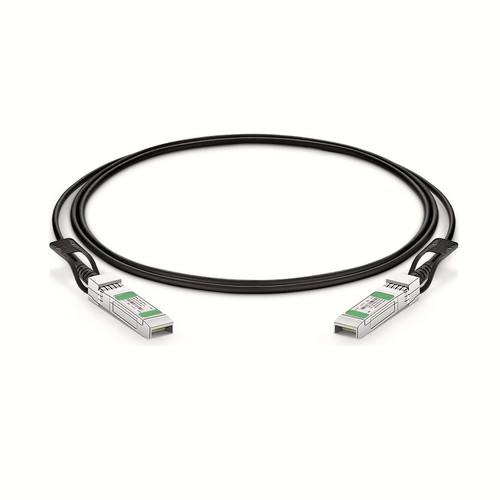
For project documentation, Dell 470-ACEX and this cable’s physical length should be recorded together. The product described here is a 0.5m (2ft) DAC assembly for 25G links, using SFP28 to SFP28. Its OEM cross-reference, HT part number, specification table and packing options support traceable ordering and installation records.
OEM Part Number: 470-ACEXHT Part Number: 470-ACEX
Product Highlights
- Compatible alternative to Dell 470-ACEX
- 25G connectivity at 25Gbps
- Interface configuration: SFP28 to SFP28
- Fixed length and part number: 0.5m (2ft), 470-ACEX
- Cable construction: Passive Twinax
- Conductor specification: 30AWG
- Maximum power consumption: ≤0.5W
- Minimum bend radius: 21mm
Specifications
| HT Part Number | 470-ACEX |
|---|---|
| Dell Compatible | 470-ACEX |
| Manufacturer | HT |
| Connector Type | SFP28 to SFP28 |
| Max. Data Rate | 25Gbps |
| Cable Type | Passive Twinax |
| Cable Length | 0.5m (1.64ft) |
| Media | Copper |
| Wire AWG | 30AWG |
| Minimum Bend Radius | 21mm |
| Power Consumption | ≤0.5W |
| Jacket Material | PVC (OFNR) |
| Commercial Temperature Range | 0 to 70°C (32 to 158°F) |
| Power Supply | 3.3V |
| Application | 25G Ethernet, Data Center, 5G Wireless |
| Protocols | IEEE 802.3, SFP28 MSA, SFF-8402, Infiniband, EIA 364-1000 |
Power and Thermal Planning
The rated power consumption is ≤0.5W. Include this load in the host-port power and thermal budget, especially in densely populated switches. Maintain front-panel clearance and do not bundle the cable so tightly that it obstructs airflow around the connectors.
Network and Protocol Considerations
The intended application is 25G Ethernet, Data Center, 5G Wireless. Listed interface and protocol references include IEEE 802.3, SFP28 MSA, SFF-8402, Infiniband, EIA 364-1000. Confirm that the host firmware and port configuration support the same operating mode.
Passive Copper Operation
A passive DAC has no separate optical conversion stage. Its low-power, low-latency operation is useful for short equipment links, but the assembly must remain within the length and signaling mode accepted by both hosts.
Length Selection and Installation Planning
The 0.5m (2ft) length is suited to closely aligned ports where excessive slack would obstruct airflow or complicate dressing. Measure the actual port-to-port path before choosing 470-ACEX; even a short assembly must retain the specified bend radius and should never be pulled tight behind the equipment.
Position Within the Length Range
470-ACEX is the shortest of 8 verified length options in this family. It is the preferred choice when the port positions are close and cable slack must be kept to a minimum. The next option is 470-ACEX at 1m (3ft), adding 0.5m for a less direct routing path; selecting it unnecessarily would leave more cable to dress.
Project Documentation and Cable Identification
Large deployments are easier to audit when the order code, physical length and endpoint record agree. Keep the OEM reference in the compatibility document and use the HT part number on the packing list. Where several lengths arrive together, labels and carton groups can be arranged by rack or port plan so installers do not have to identify cables by appearance alone. For this assembly, the listed conductor specification is 30AWG; the minimum bend radius is 21mm; the stated power consumption is ≤0.5W; the jacket material is PVC (OFNR).
Cable Construction and Routing
This assembly uses 30AWG conductors, PVC (OFNR) jacket, minimum bend radius 21mm. These mechanical characteristics affect how the cable should be dressed behind the equipment. Avoid sharp edges, excessive ties and repeated tight bends close to the connector boots.
Dell Compatibility and Factory Testing
Factory verification links the compatibility identity to the exact physical assembly described on this page. Identification, connector condition and live link behavior are checked before packing. Customers can submit equipment and firmware details with the project documentation for a more specific pre-order compatibility review. The check includes link stability and diagnostic indications, followed by a final inspection of both ends.
Frequently Asked Questions
Is this an original Dell cable?
No. It is an HT-manufactured compatible alternative for equipment that specifies Dell 470-ACEX.
Will any matching connector operate at the same speed?
Not necessarily. Both hosts must support the stated rate, identification, lane mapping and any required breakout configuration; mechanical compatibility alone is insufficient.
What details assist a compatibility review?
Provide the equipment manufacturer, model, port type, hardware revision and software release, together with the OEM reference, required length and quantity.
How should an unused assembly be stored?
Protect both connector ends, keep the cable in a loose bend-safe coil and retain its part-number label so the length and compatibility identity remain traceable.
Ordering Information
Use the listed HT part number for ordering and retain the OEM reference as the host-compatibility cross-reference. Send quantities by length, along with any rack-based packing or label instructions. If the project has mixed equipment, include the host model for each group rather than relying only on the aggregate cable rate. Keep 470-ACEX associated with 0.5m (2ft) throughout the order and receiving record.
Shipping and Lead Time
Standard configurations normally ship within one to three working days, while production quantities are confirmed with the order. Worldwide courier services are available, with air or sea freight for consolidated shipments; freight-collect delivery and coordination with a customer’s logistics provider can be arranged.
Quality Assurance and Packaging
Inspection and link testing are completed before the cable enters its protective packaging. Project orders can be packed and labelled by length, rack or customer reference, with packing documentation that makes received quantities straightforward to reconcile against the installation schedule. Standard protective packing is used by default, with project documentation arranged when requested.


